
LinkedIn changed how it charges for recruiting ads. If you are running a campaign this summer, the change has already happened to your account. Here is what the new model costs, how it behaves differently from what it replaced, and the one setting you should check today.
Summary
- Daily and 30-Day slot campaigns are retired. Everything moved to Pay-for-Performance on July 31.
- You pick a fixed budget of $299, $399, or $549, and it is only spent when a candidate clicks Apply.
- A campaign ends when the budget runs out or 30 days pass, whichever comes first, and unspent money does not roll over.
- Connecting your LinkedIn Company Page once turns on free organic posting and makes P4P sponsorship available on the same connection.
If you logged into your account sometime after July 31 and noticed your LinkedIn campaign looked different, you were not imagining it. New price, new budget structure, and possibly a request to connect your LinkedIn Company Page. Nothing about your account broke. LinkedIn simply changed the rules of the game, and everybody running a LinkedIn campaign got moved to the new version at the same time.
Here is the plain version of what happened and what it costs. More importantly we give you ideas about what you should do about it.
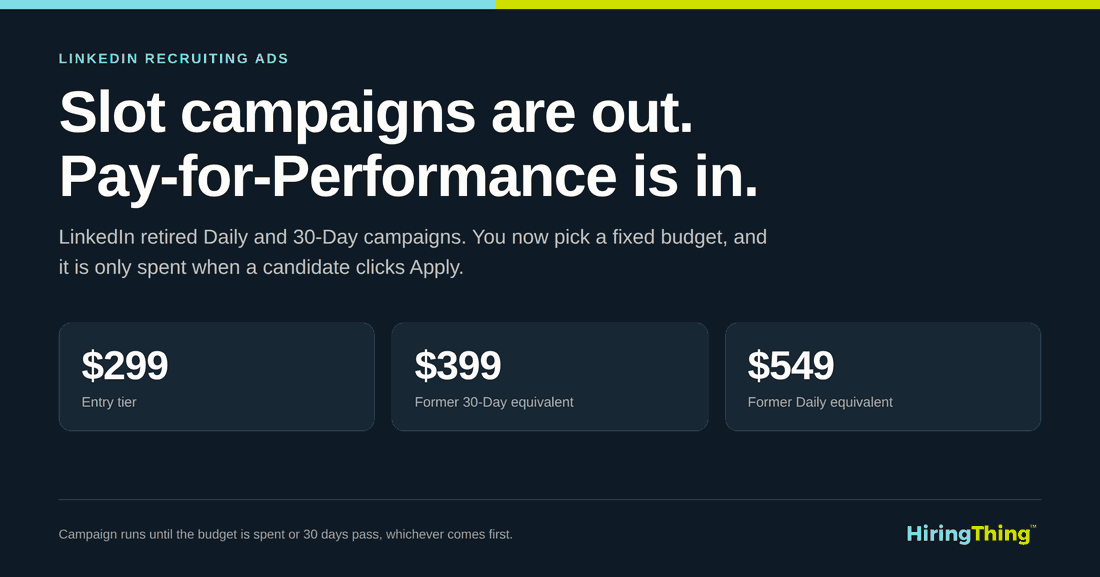 LinkedIn retired Daily and 30-Day slot campaigns and replaced them with fixed Pay-for-Performance budgets of $299, $399, and $549.

LinkedIn retired the old campaign types
For years, LinkedIn sold recruiting ads through slot campaigns. You bought a Daily campaign or a 30-Day campaign, your job sat in a slot for a set period, and you paid for that airtime whether or not a single person did anything with it. It was simple to budget for and easy to explain to a CFO.
Those are gone. LinkedIn replaced them with a Pay-for-Performance model, usually shortened to P4P. Instead of buying time, you are buying engagement.
This decision came from LinkedIn, not from your ATS provider. Every client running a Daily or 30-Day campaign was affected, so if it feels like something happened to you specifically, it did not. It happened to everyone.
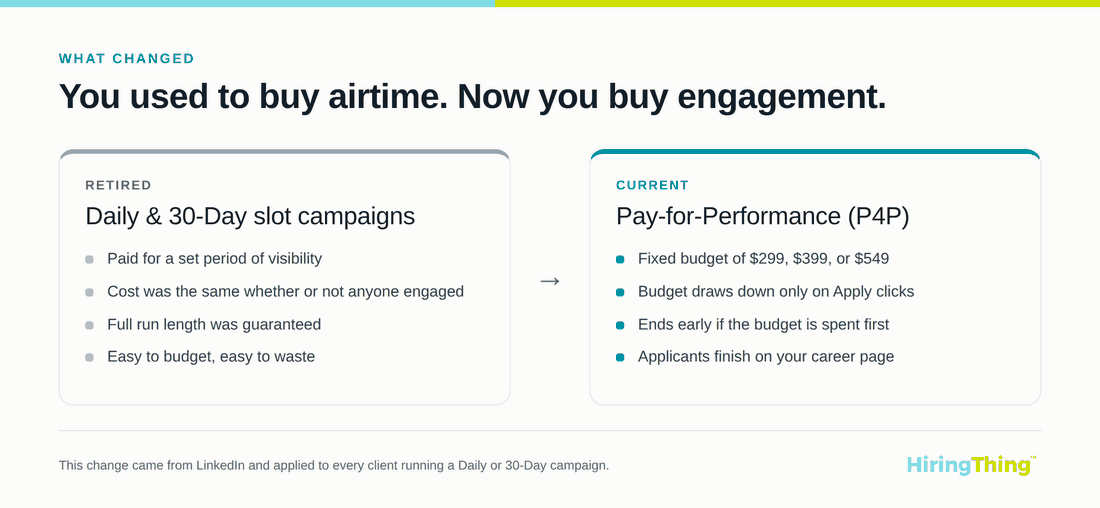 Old model versus new model: slot campaigns bought airtime, P4P buys engagement.

What P4P actually costs
P4P uses fixed budget tiers. You pick one of three:
- $299
- $399
- $549
That budget only gets drawn down when a candidate clicks Apply on your job. Views are free. Scrolling past your post is free. Someone reading your job description for four minutes and deciding against it is free. You pay when a person takes the action you actually want.
The campaign runs until the budget is fully spent or 30 days pass, whichever comes first. That second part is the piece people miss. Under the old 30-Day campaign, you were guaranteed a full month of visibility. Under P4P, a job that performs well can burn through its budget in twelve days and end early. That is not a malfunction. That is the model working exactly as designed.
There is one more detail worth knowing. LinkedIn's Express Apply is not part of P4P. When candidates click Apply, they land on your career page to finish the application rather than filling out a form inside LinkedIn. Some recruiters love that because it filters for intent. Others miss the volume. Either way, plan for it.
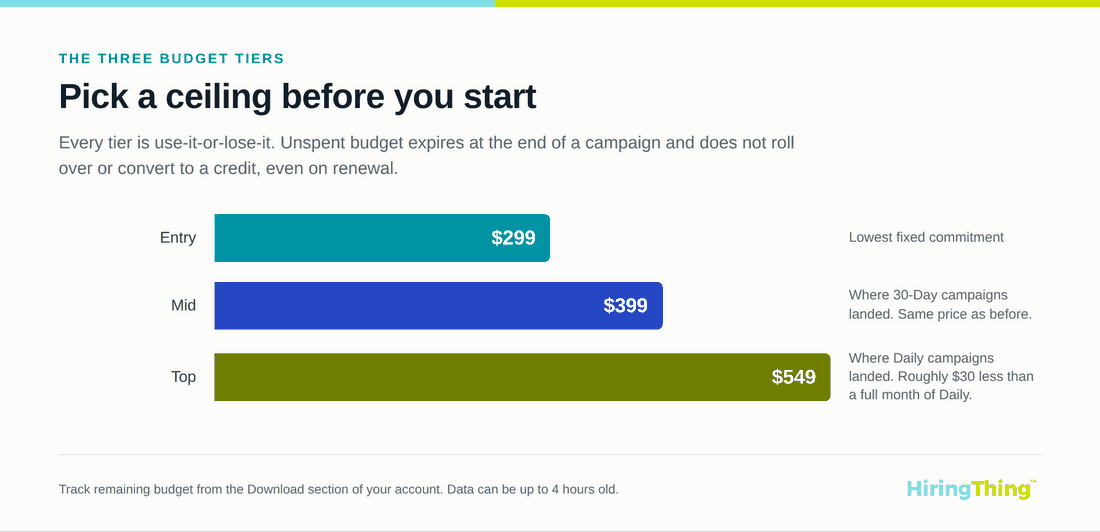 The three P4P budget tiers: $299 entry, $399 mid, $549 top, all use-it-or-lose-it.
The use-it-or-lose-it rule
Unspent budget expires. It does not roll over, it does not convert to a credit, and it does not follow you into a renewal. If your campaign ends with $25 left and renews at the $299 tier, the new campaign starts at $299, not $274. Refunds are not available on unused budget, and that applied to the retired Daily and 30-Day campaigns too.
This also affects when you can change tiers. If you were migrated to a budget level that does not fit your hiring volume, ending the campaign early triggers the use-it-or-lose-it clause and you forfeit the remainder. The better move is to wait out the 30 days and adjust at renewal.
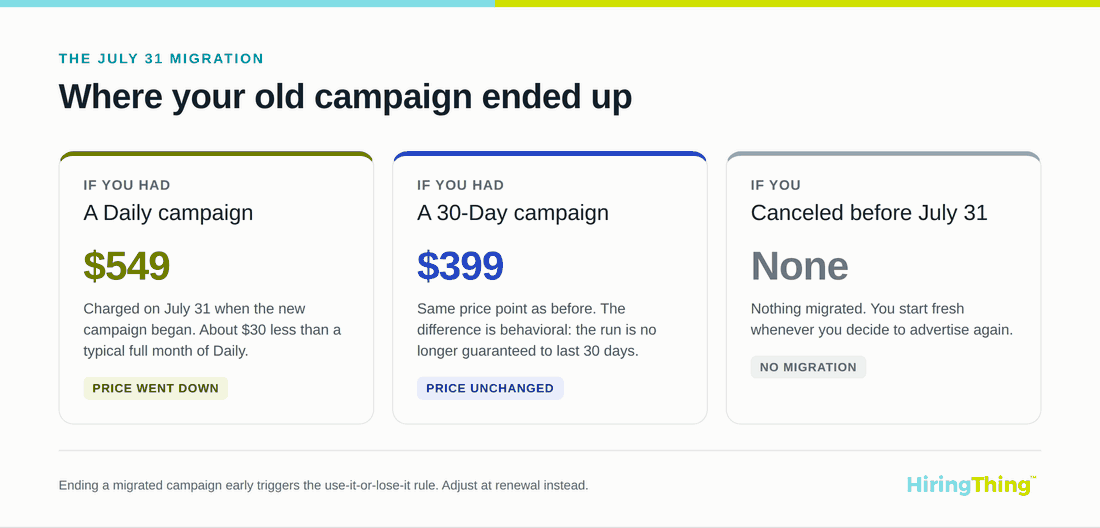 Where old campaigns landed in the July 31 migration: Daily moved to $549, 30-Day moved to $399, canceled campaigns did not migrate.

What your old campaign became
If you had a Daily campaign set to auto-renew, it moved to the $549 tier and was charged on July 31. That number tends to raise eyebrows, but it is roughly $30 less than a full month of Daily typically cost.
If you had a 30-Day campaign, it moved to the $399 tier. Same price as before, so no change to your line item. The difference is behavioral rather than financial: your campaign is no longer promised the full month.
If you canceled before July 31, nothing migrated. You are starting fresh whenever you decide to advertise again.
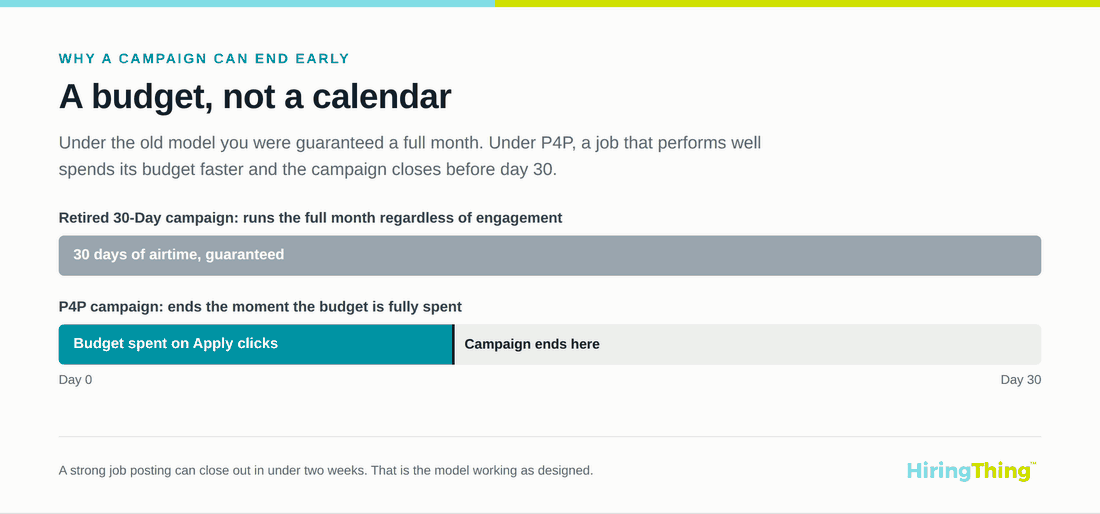 A P4P campaign ends when the budget is spent, which can be well before day 30.
How this compares to buying LinkedIn directly
For context, LinkedIn's self-serve promoted jobs run on an auction. You set a daily or total budget, minimums land somewhere around $7 to $10 per day, and clicks generally cost between $1.50 and $4.50 in the U.S. depending on the role and the market. Third-party analyses put the average cost per applicant near $2.83. At the enterprise end, Job Slots run roughly $200 to $1,000 per slot per month on annual contracts.
Compared with all that, fixed P4P tiers are refreshingly boring. You know the ceiling before you start. There is no bid to manage, no daily spend to babysit, and no surprise invoice because a job title turned out to be competitive.
The free option got easier
Here is the genuinely good news buried in this change. LinkedIn Limited, the free organic posting option, used to require adding it from the shopping cart for every single job. That extra step is gone.
Now, as long as your LinkedIn Company Page is connected under Company Information, your jobs are automatically eligible to post to LinkedIn's free job board. No per-job clicking. No remembering.
You need a verified LinkedIn Company Page URL to make any of this work, paid or free. LinkedIn wants to confirm your company is real before it lets your jobs through the door.
Where HiringThing makes this painless
This is the part that separates a frustrating month from a quiet one. HiringThing handles LinkedIn as a setting, not a chore, and its applicant tracking platform pushes your jobs out to LinkedIn alongside the rest of its job board distribution without you touching each posting.
Connecting takes about thirty seconds:
- Go to Account, then Account Details, then Company Information.
- Drop your LinkedIn Company Page URL into the Connect to LinkedIn field.
- Click Save.
You will need the Manage Account Details permission, so if you do not see the page, ask your admin. If your account already had an active LinkedIn campaign, the field may already be filled in, because HiringThing pre-populated it to smooth the transition. Double-check it anyway, since that URL determines where every future job posts.
Running multiple sites under one account? Each site can point to its own LinkedIn Company Page through Site Management, so a franchise or a multi-brand operation is not stuck posting everything under the parent company name.
Opting out is just as easy. Remove the URL to stop all LinkedIn posting, or add #LI-DNI to a specific job description and LinkedIn will skip that one.
And because P4P budgets are finite, you can track spend from the Download section of your account to see how much is left. The data can be up to four hours behind, so treat it as recent rather than live.
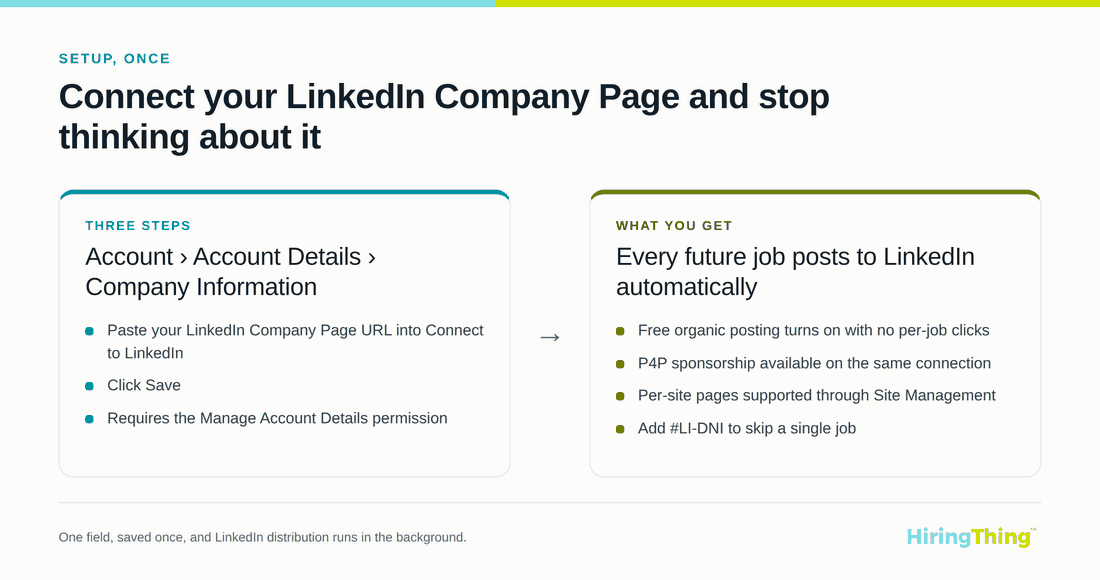 Connect your LinkedIn Company Page once in HiringThing and every future job posts automatically.

What to do this week
- Confirm your LinkedIn Company Page URL is correct.
- Decide whether the tier you were migrated to matches how much hiring you are actually doing.
- Check your spend report once or twice so an early campaign end does not catch you off guard.
Then let the free organic posting do its quiet work in the background while you focus on the candidates who show up.
The pricing changed. The work of hiring did not. With the connection set up once, the rest of it mostly takes care of itself.
About HiringThing
HiringThing is a modern recruiting and employee onboarding platform as a service that creates seamless talent experiences. Our white label solutions and open API enable HR technology businesses to offer hiring and onboarding to their clients. Approachable and adaptable, the platform empowers anyone, anywhere to build their dream team.